Share before you start
Create a route, choose who receives the link, and begin your hike with less back-and-forth about where you are when your phone has service.
Live route sharing for hikers
Start a route before you leave the trailhead, send one private link, and let someone you trust follow your hike from any device.


Bluelane is built for the simple moment before a hike: you want someone to know where you are going, but you do not want them to install an app, create an account, or learn a complicated tracking tool. Start tracking on your iPhone or Apple Watch, share the link through Messages, Mail, WhatsApp, or any app you already use, and your contact can open the route in a normal web browser.
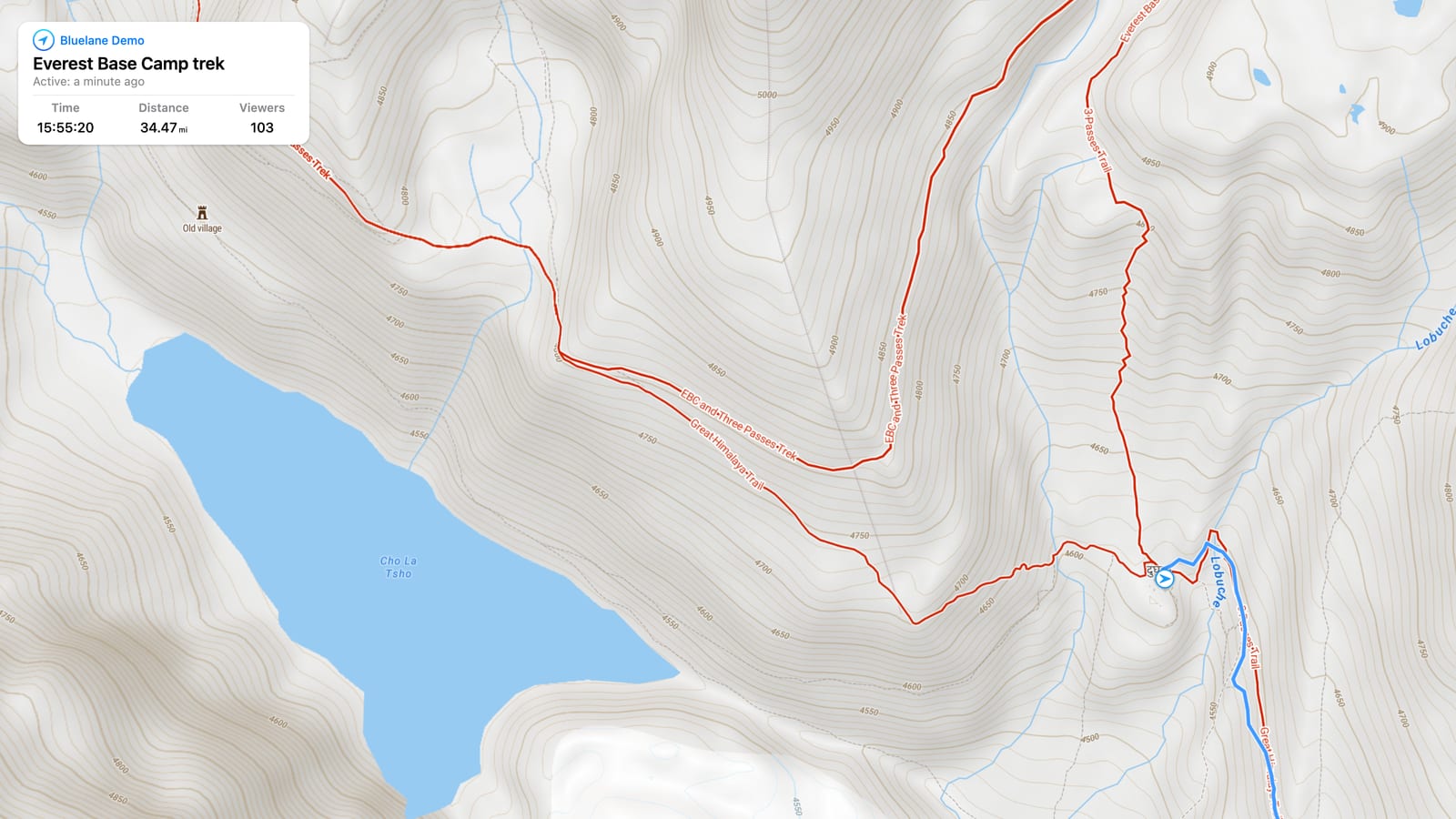
The shared page shows your route as it updates, along with useful trip context like distance, elapsed time, and recent movement. Live updates require mobile cell signal so your phone can send new route points. That makes Bluelane practical for solo hikes, long day routes, mountain approaches, and casual check-ins with family when coverage is available. It is not a replacement for emergency gear, offline maps, satellite communication, or local safety planning, but it is a clear way to keep someone informed while you are moving.
Create a route, choose who receives the link, and begin your hike with less back-and-forth about where you are when your phone has service.
Friends and family can follow from iPhone, Android, iPad, Mac, or PC without installing Bluelane.
Your hike remains useful as route history, with time and distance for reviewing the trip later.
Use Bluelane when you want a lightweight safety check-in for trail days, ridge walks, forest routes, and unfamiliar terrain. The route link is easy to send before you lose focus to packing, parking, or finding the trail.
If mobile cell signal gets spotty, viewers may not see fresh updates until your phone reconnects. For serious backcountry travel, pair Bluelane with the safety tools your route requires.
No. They open your shared route link in a web browser. They do not need an app, account, or Bluelane subscription to view.
No. Bluelane helps you share your live route, but it does not replace emergency services, satellite messengers, offline maps, or responsible hiking preparation.
Yes. Bluelane needs mobile cell signal or another data connection to send live route updates. If you lose service, viewers may not see new points until your phone reconnects.
Yes. Bluelane supports starting, stopping, and sharing routes from Apple Watch, with key stats available on your wrist.
You can keep the route in your history and review details like time, distance, and the path you followed.
Continuous GPS uses battery on any phone. For longer hikes, start with a charged device and carry backup power when appropriate.
Share one route link and let the right people follow along from any browser.